
How the Dynamic Model Router cuts AI cost without cutting quality
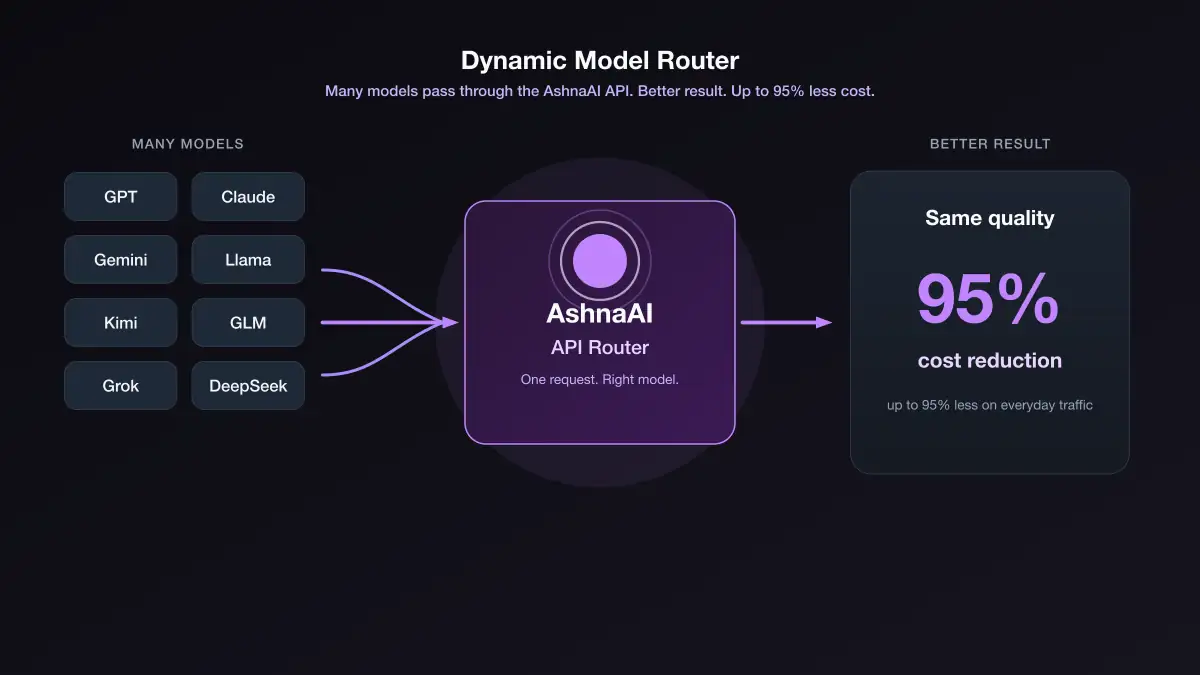
Most AI bills are not from hard work. They are from sending every message to a flagship model. The Dynamic Model Router picks a cheaper capable model for the request. Everyday asks stay inexpensive. Hard work still gets a strong model.
AshnaAI
The expensive habit nobody notices
Most teams do not waste money on one giant request. They waste it on a thousand small ones. A greeting. A “what does this field mean?” A follow-up that only needs two sentences. The app still sends every one of those to a flagship model because that was the name someone pasted into the config six months ago.
That is like calling a senior partner for every email. The partner can answer. The invoice will not forgive you.
The Dynamic Model Router is the office manager. Everyday work goes to a fast, capable specialist. The expensive specialist stays reserved for work that actually needs them.
How it works
You keep talking to one API. Your product, Cursor, Claude Code, or Codex still sends a model name. Behind that request, Ashna picks a model that fits the work and the setting on your key.
You do not manage that matching. You do not pick a model per message. The answer comes back on the same request you already send.
Same request. Smarter model. Cache unchanged.
- 1
You send the request
A question, a coding task, or a longer session arrives on the same API you already use.
- 2
Ashna matches a fit
The router chooses a capable model for that request and your key setting. You do not steer the match.
- 3
A capable model runs it
Everyday work stays inexpensive. Harder work still gets a strong model.
- 4
You get the answer
Your app keeps the model name it sent. Input cache stays in place, the same as a pinned model.
Three settings. Set them once on the key.
You do not need a new SDK. You choose the policy when you create the API key. Clients keep their existing code.
- Auto — best model for the task, more cost effective. A simple ask can run on a cheaper capable model even if the request named a flagship.
- Off — use the model sent in the request. Choose this when a customer or a contract requires that exact model.
- Cost effective — cheaper equivalent, similar quality. Expensive names run on a capable model instead of the flagship you sent.
| Key setting | What actually runs | When to use it |
|---|---|---|
| Auto | A cheap capable model for that job | Default for products and coding tools |
| Off | Claude Sonnet 4.5 | You must pin the requested model |
| Cost effective | A cheaper equivalent of similar quality | Keep the request name, pay a lower rate |
Same quality class. Very different price.
Quality does not mean “always the most expensive name.” It means the model can finish that class of work. Many capable models already handle everyday asks, most tool calls, and a lot of coding — at a fraction of flagship list rates.
The graph below is typical list price for one million output tokens. That is the meter most apps feel when answers get long.
What one million output tokens typically costs
US dollars per 1M output tokens. Taller bar = more expensive.
- Typical flagshipabout $25–$30
- Capable model for stronger workabout $1
- Capable model for everyday workabout $0.50
A month of real traffic, not a lab demo
Imagine an app that used to pin a flagship on every completion. In a typical month, most turns are short. A smaller share is real coding. A thin slice is true frontier work.
If 1,000,000 output tokens split as 70% everyday, 20% stronger work, and 10% still-flagship, the routed bill is not “10% of the old bill.” Everyday tokens price like a capable model, stronger work stays well below flagship, and only the last slice pays the expensive rate. The old habit paid the expensive rate for all of it.
Same million output tokens: pinned flagship vs routed mix
Estimated list-rate spend for 1M output tokens.
- Everything on a flagship$25.00
- Routed mix (70 / 20 / 10)about $3.05
| Slice of the month | Tokens | Rate / 1M | Slice cost |
|---|---|---|---|
| Everyday asks | 700,000 | about $0.50 | $0.35 |
| Stronger work | 200,000 | about $1.00 | $0.20 |
| Work that still needs a flagship | 100,000 | about $25.00 | $2.50 |
| Routed total | 1,000,000 | — | about $3.05 |
| Old total, all flagship | 1,000,000 | about $25.00 | $25.00 |
Why the answers do not get “cheap”
A cheaper model is the wrong model only when the job outgrows it. The router is built to refuse that shortcut.
Everyday questions stay inexpensive. Harder coding still gets a stronger model. Tool-heavy desktop or browser work is not forced onto a bargain coding model. Custom agents you built yourself are never swapped.
That is the whole quality story: do not spend flagship money on work a capable model can finish, and do not pretend every job is the same.
Input cache stays in place
Teams often worry that letting a request run on a different model will wipe the prompt they already cached. It does not.
While dynamic routing is on, input cache is maintained as usual. Long chats, coding sessions, and repeated prefixes keep their cache hits — the same as when you pin one model. You do not change cache keys, history, or how your SDK sends the conversation.
Routing changes which model is a good fit for the turn. It does not make you pay again for context you already cached.
Turn it on without rewriting your app
Create a key in Account → API. Leave Cost effective selected unless you have a reason not to. Point Cursor, Claude Code, OpenClaw, or your backend at https://api.ashna.ai/v1/api Keep sending the model names you already use.
If a customer contract says “this traffic must be Sonnet,” make a second key and set it to Off. The router is per key, not a global switch that surprises every integration.
New accounts start at app.ashna.ai/signup. The product API reference is on the docs. For a deeper cost walkthrough, read Reduce LLM API cost by 95% with model routing.
Frequently asked questions
- What is the Dynamic Model Router, in plain language?
- It is a dispatcher. It sends the work to a cheaper AI model that can still do that job well. You do not have to become a model expert.
- Does cheaper mean worse answers?
- Not for the work that never needed a flagship model. A greeting or a short lookup does not get better on a $30-per-million model. Hard coding or desktop work can still stay on a strong model.
- What is the difference between Auto and Cost effective?
- Auto picks a capable model for the request. Cost effective keeps the class of model you asked for, then uses a cheaper equivalent of similar quality. Off runs exactly the model you sent.
- If my app still sends Claude Sonnet, do I still pay Sonnet prices?
- Only if the key is set to Off. On Auto or Cost effective, everyday asks can run on a cheaper capable model. Harder or tool-heavy work can still stay on a stronger one.
- Will a cheaper model be used for desktop or browser control?
- Not when that job needs a stronger model. Tool-heavy desktop or browser work is not forced onto a bargain coding model.
- Does routing break input cache?
- No. Input cache is maintained as usual. The router may run a cheaper capable model; it does not throw away the cached prompt your session already built.
- Where do I turn it on?
- When you create a key at https://app.ashna.ai/account?tab=api pick Auto, Off, or Cost effective. New keys default to Cost effective.
Tags
Related
- AshnaAI for Work
- AshnaAI vs ChatGPT
- AshnaAI vs Claude
- Large Language Model (LLM)
- Foundation Model
- reduce llm api cost 95 percent
- cheapest coding ai vs claude opus 5 and gpt 5 6 sol
- how to use ashna x1 instead of picking models yourself
- llm routing match tasks to models
- cheapest multi model ai api
- how to call any catalog model through the api
- ashna x1 task aware model routing
Try this in AshnaAI. Create a free account.
Found this article helpful? Share it with your network.