More articles

What Russia, China, and Iran mean at BRICS 2026
Blog

What Russia, China, and Iran mean at BRICS 2026

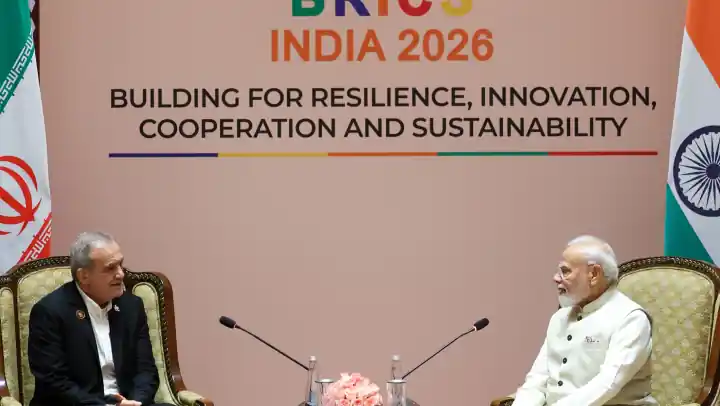
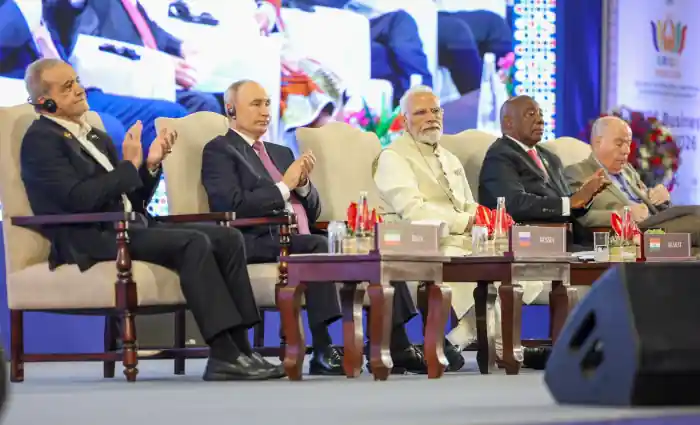
Vladimir Putin, Xi Jinping, and Masoud Pezeshkian were the three arrivals that defined the political test of India's 18th BRICS Summit. Their presence in New Delhi is not a published trilateral alliance. It is a signal about energy, sanctions, West Asia, payments, and how far a consensus club can stretch.

BRICS 2026 latest update: New Delhi summit
Blog

BRICS 2026 latest update: New Delhi summit

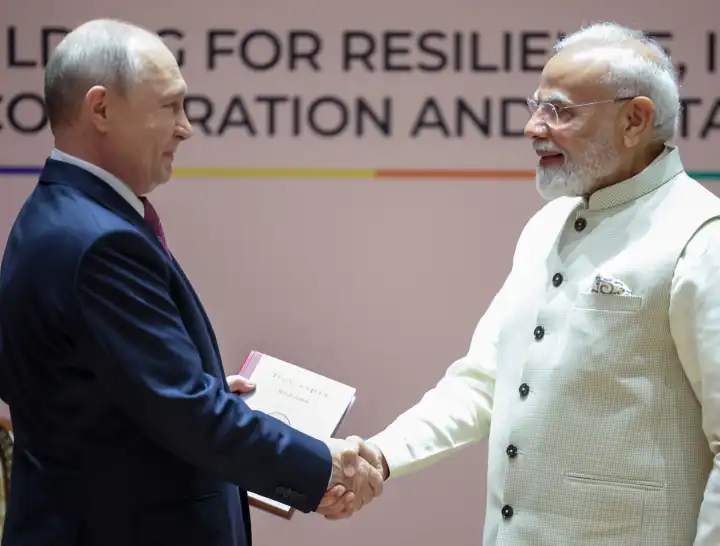
India hosted the 18th BRICS Summit at Bharat Mandapam on 12–13 September 2026. Leaders unanimously adopted the New Delhi Declaration. This page states what was agreed, what Modi, Xi, and Putin said in bilateral meetings, and what is still unresolved as of 13 September 2026.

BRICS AI policy and global AI governance
Blog

BRICS AI policy and global AI governance

The New Delhi Declaration 2026 commits BRICS to implement its Leaders' Statement on the Global Governance of Artificial Intelligence. The policy is not a single statute. It is a Global South brief: wider access to compute and data, digital sovereignty, interoperable standards, energy-efficient systems, and India's February 2026 AI Impact Summit as a reference point.

Why BRICS matters in 2026
Blog

Why BRICS matters in 2026

BRICS is no longer a four-letter market acronym. In 2026 the 11-member grouping holds about half the world's people and, on purchasing-power terms, more output than the G7. Here is why the bloc matters for trade, finance, UN reform, and the Global South — and why India, China, and Russia sit at the centre of the story.

DeepSeek V4.1 Flash launch: benchmarks vs Sol and Opus 5
Blog

DeepSeek V4.1 Flash launch: benchmarks vs Sol and Opus 5

DeepSeek launched V4.1 Flash on 10 September 2026 as a new 552B MoE, not a tune of V4-Flash. On DeepSeek’s own scoreboard it leads GPT-5.6 Sol and Claude Opus 5 on Terminal-Bench 2.1, DeepSWE, CyberGym, AutomationBench, and Agents’ Last Exam—while those flagships still win GPQA and the newer Terminal-Bench rows. AshnaAI is the place to pin that DeepSeek row next to Sol, Opus 5, GLM-5.3-Flash, and Ashna-X1.

How to create a realistic 80s AI photo
Blog

How to create a realistic 80s AI photo

The #80sTrend flooding Instagram in September 2026 is not a vintage filter. It is image-to-image: keep the face, rebuild hair, clothes, lighting, and analog film. Attach a selfie in AshnaAI chat and generate a 1985 portrait you can actually share.

GPT-6 Astra launch: benchmarks vs Sol, Claude, and Gemini
Blog

GPT-6 Astra launch: benchmarks vs Sol, Claude, and Gemini

OpenAI launched GPT-6 Astra on 3 September 2026 as its next flagship for computer use, coding, and science. The official scoreboard beats GPT-5.6 Sol on most cells and still loses a few published indexes to Claude. AshnaAI is the place to pin that OpenAI row next to Claude, Gemini, GLM-5.3-Flash, and Ashna-X1—without waiting on one lab’s ChatGPT or IDE contract.

How to use the AshnaAI API in OpenClaw, Cline, and Codex
Blog

How to use the AshnaAI API in OpenClaw, Cline, and Codex

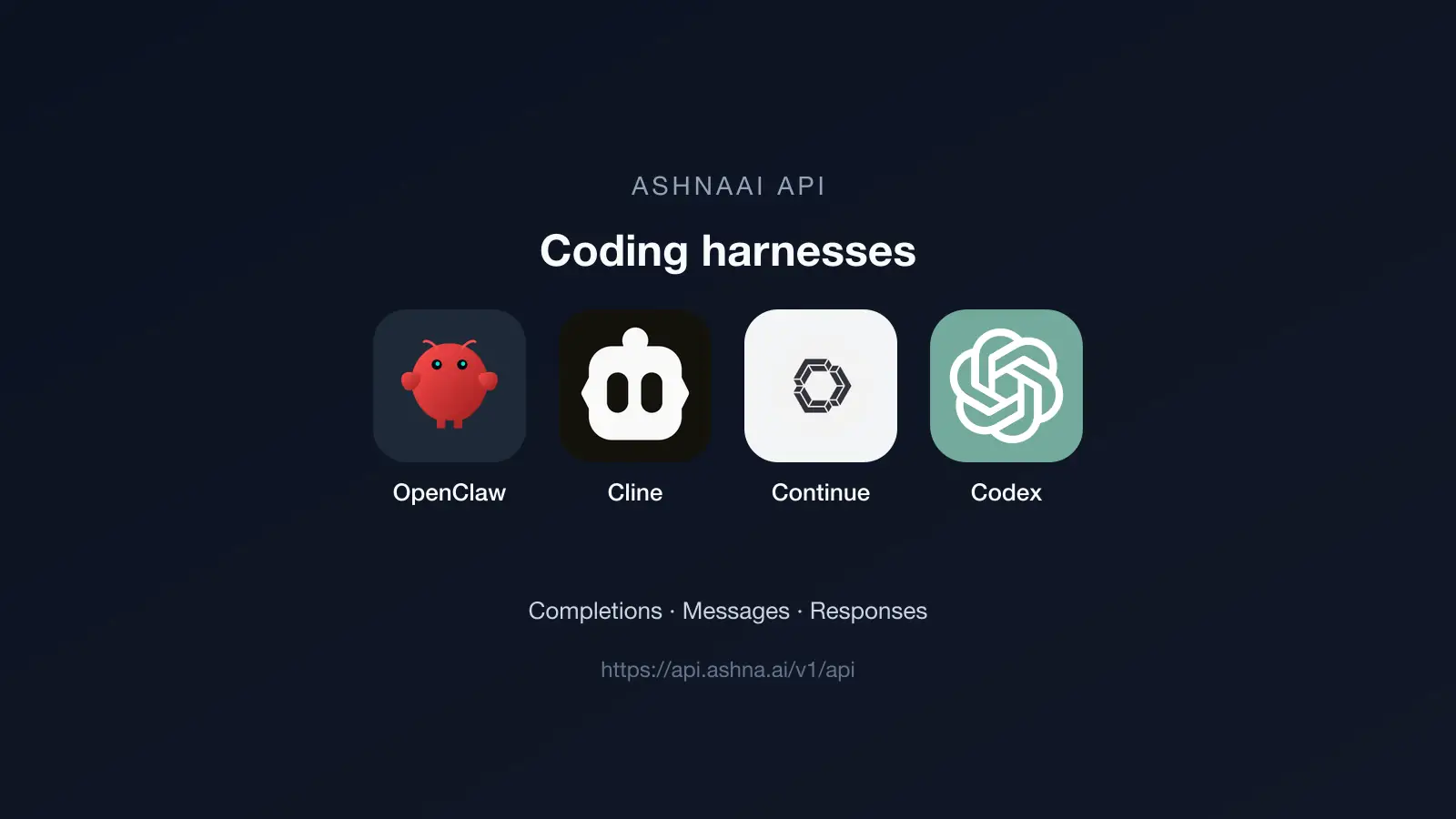
Pick one tool — Codex CLI, OpenClaw, Cline, or Continue. Install only that tool, create an AshnaAI API key, and point it at https://api.ashna.ai/v1/api. You do not need the other tools.

How to use the AshnaAI API in Cursor
Blog

How to use the AshnaAI API in Cursor

Download Cursor for macOS, Windows, or Linux, install the Cursor CLI from your terminal, create an AshnaAI API key, then set Override OpenAI Base URL to https://api.ashna.ai/v1/api.

How to use the AshnaAI API in Claude Code
Blog

How to use the AshnaAI API in Claude Code

Install Claude Code CLI on macOS, Linux, or Windows, create an AshnaAI API key, point ANTHROPIC_BASE_URL at https://api.ashna.ai/v1/api, then run your first Messages turn.

How to use the AshnaAI API in VS Code
Blog

How to use the AshnaAI API in VS Code

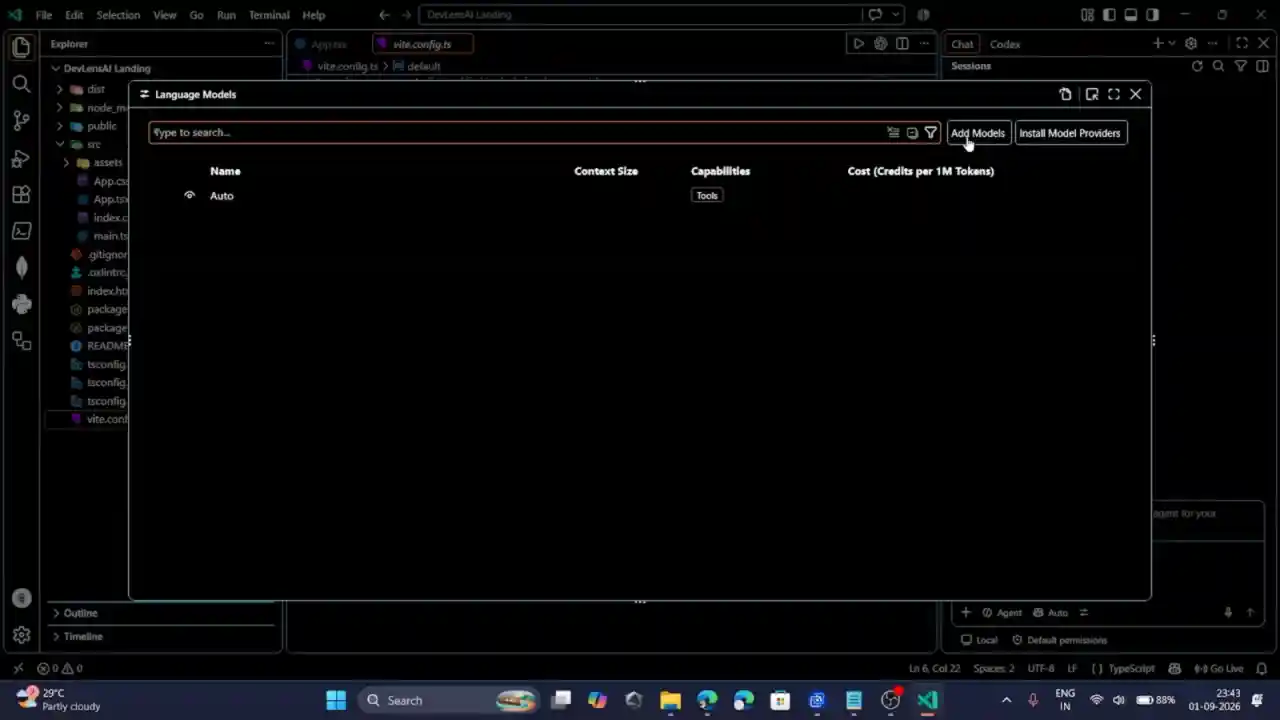
Create an AshnaAI API key, then add a Custom Endpoint in VS Code Language Models. Chat and agent turns use the OpenAI-compatible catalog: paste the Bearer key, set the base URL to https://api.ashna.ai/v1/api, and pick a catalog id such as glm-5.3-flash.

AI classroom notes generator with handwritten font
Blog

AI classroom notes generator with handwritten font

The market dumps a typed chapter summary and calls it notes. AshnaAI is different: handwritten notebook leaves—white paper, ink colors, highlighter, drawn boxes. The value is a revision page a student will actually reread. Live proofs: Class 12 chemistry, amoeba biology, Maurya UPSC notes, plus a Newton PPT sibling.

Cheapest multi-model AI API
Blog

Cheapest multi-model AI API

The market default is one lab’s base URL and a flagship model field. Uber’s $1,500 Claude Code cap is what that habit costs. AshnaAI is different: one OpenAI-compatible route, any catalog id, and routing to the cheapest capable model. The value is about 95% list-rate savings on everyday turns, plus PPT, Tally, design, and notes on the same login.

AI design and video generator
Blog

AI design and video generator

The market splits briefs, pixels, and video across chat, Canva, and a third video tab. AshnaAI is different because the prompt returns the artifact: image, ads clip, film clip, one-pager, or chart. The value is a file the team can ship. Game art and motion ship. A playable game engine does not.

Tally automation without a chatbot
Blog

Tally automation without a chatbot

The market offers chatbots that invent GST matches from a screenshot, and plugins that draft inside Tally. AshnaAI is different: a desktop bridge to the open TallyPrime company. The value is posted invoices, claim-ready 2B recon, and ICAI or Schedule III packs—with confirm before write, and no GST filing pretend.

AI PowerPoint generator for classroom and work
Blog

AI PowerPoint generator for classroom and work

The market sells slide outlines and Office add-ins. Teachers and operators still rebuild the deck. AshnaAI is different because it researches the topic, plans slides, generates images, and exports PPT. The value is a finished classroom or work deck—Newton’s laws is a live example—not ten bullets to paste into Slides.

Microsoft and Uber Claude Code restrictions
Blog

Microsoft and Uber Claude Code restrictions

Microsoft and Uber did not drop Claude because the model failed. They dropped a single-vendor habit: one CLI, one flagship rate, one retention rule. AshnaAI is the better alternative because the buyer pins Claude only when it is useful, routes volume to a cheaper capable model, and still gets PowerPoint, Tally, design, notes, and an API on the same account.

GST reconciliation software for TallyPrime
Blog

GST reconciliation software for TallyPrime

GST reconciliation software for Tally should match official portal files to the open TallyPrime books—and refuse to invent ITC. GSTR-2B versus purchases is claim-ready. GSTR-2A, IMS, and GSTR-9 are watch or advise only. That split is how GST reconciliation AI stays accurate at firm scale.

Tally balance sheet automation for CA firms
Blog

Tally balance sheet automation for CA firms

Year-end for a CA firm is not printing Tally’s Balance Sheet. It is rebuilding Excel, client after client, until a partner can sign. AshnaAI reads the open TallyPrime company and writes that Excel—so articles review exceptions instead of copying last year’s file.

Reduce LLM API cost by 95% with model routing
Blog

Reduce LLM API cost by 95% with model routing

LLM API cost optimization is not a cheaper vendor contract. It is stopping every completion from hitting GPT-5.6 Sol or Claude Opus 5. Task-aware model routing runs the cheapest capable model per turn. Everyday asks stay flash-tier. Hard coding can still reach Sol. Teams that used to hardcode a flagship see about 95% less list-rate spend on the turns that no longer need one.

Cheapest coding AI vs Claude Opus 5 and GPT-5.6 Sol
Blog

Cheapest coding AI vs Claude Opus 5 and GPT-5.6 Sol

The cheapest coding AI that still ships useful patches is not Claude Opus 5 or GPT-5.6 Sol. Those are $5 / $25–$30 flagships. GLM-5.3-Flash sits next to published Opus 4.8 and GPT-5.6 Terra benches at about $0.15 / $0.50 per 1M tokens—the cost-versus-quality default for coding volume.

Nepal Bhotekoshi flood 2026: what happened and what it damaged
Blog

Nepal Bhotekoshi flood 2026: what happened and what it damaged

A glacier-and-ice collapse in the Langtang Himal on 26 August 2026 sent a flash flood down the Bhotekoshi and Trishuli. By 30 August Nepal’s disaster agency had reported 675 dead and about 2,498 missing. This page states the issue and the impact, then points to the AshnaAI research briefing.

What the OpenAI-Cursor cutoff means for enterprise model supply
Blog

What the OpenAI-Cursor cutoff means for enterprise model supply

On 28 August 2026 OpenAI said it will wind down the contract that supplies its models to Cursor after SpaceX acquired Anysphere, with a proposed shutoff of 12 November 2026. AshnaAI is the alternative: a multi-model catalog the buyer pins—plus PowerPoint, Tally, design, classroom notes, and an OpenAI-compatible API—so one lab’s change-of-control clause is not the only path.

How to call any catalog model through the API
Blog

How to call any catalog model through the API

Use the OpenAI-compatible AshnaAI API to call any catalog model: get a key, list ids from GET /v1/api/models, then POST /v1/api/chat/completions with that id in the model field. The same route works for GLM-5.3-Flash, GPT-5.6 Terra, Claude rows, Kimi K3, or a custom agent id.

GLM-5.3-Flash vs Kimi K3 for coding cost
Blog

GLM-5.3-Flash vs Kimi K3 for coding cost

Kimi K3 is Moonshot’s 2.8T MoE flagship with 1M context, native vision, and always-on thinking—premium cost. On AshnaAI, people pin GLM-5.3-Flash when they want similar agent tools and 1M context without K3’s token bill.

GLM-5.3-Flash vs Claude Opus 5 for coding cost
Blog

GLM-5.3-Flash vs Claude Opus 5 for coding cost

Claude Opus 5 is Anthropic’s everyday flagship at $5 / $25 per 1M tokens, close to Fable 5 at half that list. On AshnaAI, people pin GLM-5.3-Flash when they want Opus-neighborhood coding work at flash-tier spend.

GLM-5.3-Flash vs Claude Fable 5 for coding cost
Blog

GLM-5.3-Flash vs Claude Fable 5 for coding cost

Claude Fable 5 is Anthropic’s most capable generally available model for long-running agents, at $10 / $50 per 1M tokens. On AshnaAI, people pin GLM-5.3-Flash when they want near-frontier code work without Fable’s price or a days-long autonomous mandate.

GLM-5.3-Flash vs GPT-5.6 Sol for coding cost
Blog

GLM-5.3-Flash vs GPT-5.6 Sol for coding cost

GPT-5.6 Sol is the premium OpenAI flagship for the hardest reasoning and agent work. GLM-5.3-Flash is the coding pin people start on, so Sol tokens stay reserved for a named miss or an OpenAI-flagship requirement.

GLM-5.3-Flash vs GPT-5.6 Terra for coding cost
Blog

GLM-5.3-Flash vs GPT-5.6 Terra for coding cost

GPT-5.6 Terra is the balanced OpenAI 5.6 row: strong everyday coding and tools at high cost. GLM-5.3-Flash is the low-cost coding pin when you want near-Terra terminal scores without Terra’s token bill.

Pin GLM-5.3-Flash for cost-effective coding
Blog

Pin GLM-5.3-Flash for cost-effective coding

GLM-5.3-Flash is in the AshnaAI catalog as the low-cost coding default: a 320B MoE, 1M-context, vision-capable model people pin in chat when the job is code, tools, or UI screenshots. Ashna-X1 still covers mixed everyday routing.

RAG done right: ingestion and chunking
Blog

RAG done right: ingestion and chunking

Good RAG starts before the question. Upload the file, let embeddings finish, then ask a locatable question. AshnaAI links the file to the chat first and embeds in the background. It does not train on the document.

Designing human-in-the-loop workflows
Blog

Designing human-in-the-loop workflows

Put a person in front of irreversible actions. Use requestUserInput for questions, choices, files, and acknowledgements. Use Tally review for missing ledgers. Do not ask when the answer is already in the chat.

LLM routing: match tasks to models
Blog

LLM routing: match tasks to models

Routing is matching a task to a catalog row. Ashna-X1 is the default. Pin GPT, Claude, or Gemini when you need that row’s context, reasoning, or file flags. Brand preference is not routing.

Building your first AI agent
Blog

Building your first AI agent

Your first agent should do one job with one or two tools. Write the job, accept the spec, test with a real example, then stop. A first agent that tries to run the company will fail in public.

How to work with local files on desktop
Blog

How to work with local files on desktop

Install the desktop app when the job needs files or apps on your machine. Tally, local documents, and the browser broker are desktop or extension paths. The website alone cannot see your disk.

How to use Ashna-X1 instead of picking models yourself
Blog

How to use Ashna-X1 instead of picking models yourself

Leave the model on Ashna-X1 for everyday agent work. Switch to a named GPT, Claude, or Gemini row only when you need that provider’s context window, reasoning control, or file behavior.

How to split a PDF
Blog

How to split a PDF

Ask AshnaAI to extract pages into a new PDF. Use page numbers such as 1, 2, 5, or last. The original file stays unchanged.

How to delete PDF pages
Blog

How to delete PDF pages

Tell AshnaAI which pages to drop. You get a new PDF without those pages. Use this before a merge or a send.

How to reorder PDF pages
Blog

How to reorder PDF pages

Give AshnaAI the new page order. You get a new PDF in that sequence.

How to rotate PDF pages
Blog

How to rotate PDF pages

Ask AshnaAI to rotate specific pages. You get a new PDF. Use this for scanned sideways pages before you merge or send.

How to watermark a PDF
Blog

How to watermark a PDF

Ask AshnaAI to stamp a watermark on a PDF. You get a new file. Use this for drafts and internal copies.

How to search and replace text in a PDF
Blog

How to search and replace text in a PDF

Ask AshnaAI to find text and overlay a replacement. searchAndReplaceText supports exact, case-insensitive, whitespace-insensitive, and fuzzy match. This is an overlay edit, not a full reflow like Word.

How to fill a PDF form
Blog

How to fill a PDF form

Attach a PDF with form fields and tell AshnaAI the values. fillForm writes the filled file. Flatten afterward if you need a non-editable copy.

How to flatten a PDF form
Blog

How to flatten a PDF form

After fields are filled, ask AshnaAI to flatten the form so values are no longer editable fields.

How to update PDF metadata
Blog

How to update PDF metadata

Ask AshnaAI to set title, author, or other metadata on a PDF. You get a new file with those properties.

How to password-protect a PDF
Blog

How to password-protect a PDF

Ask AshnaAI to encrypt a PDF with a password. Protection defaults to AES-256. You can lock an existing file or create a new protected PDF from markdown.

How to create a PDF from markdown
Blog

How to create a PDF from markdown

Ask AshnaAI to create a PDF from markdown, HTML, or plain text. This is a document export, not a website builder.

How to convert an image to PDF
Blog

How to convert an image to PDF

Attach a PNG, JPEG, or similar image and ask for a PDF. AshnaAI returns a one-page image PDF. Say if you also want a text page after the image.

How to create an Excel file
Blog

How to create an Excel file

Ask AshnaAI to build a spreadsheet. Name the sheets and rows you want. You can also start from a CSV or JSON file.

How to edit an Excel file
Blog

How to edit an Excel file

Attach an .xlsx and ask to add rows, change cells, or add a chart. AshnaAI reads the sheet, then returns an edited Excel file you can download.

How to convert CSV to Excel
Blog

How to convert CSV to Excel

Attach a CSV and ask for an Excel file. AshnaAI turns the rows into a real .xlsx without rewriting your data.

How to convert Excel to CSV
Blog

How to convert Excel to CSV

Attach an .xlsx and ask for CSV. AshnaAI reads the selected sheet into a delimited text file.

How to convert JSON to Excel
Blog

How to convert JSON to Excel

Paste or attach JSON and ask for Excel. AshnaAI maps rows or objects into an .xlsx table.

How to convert Excel to JSON
Blog

How to convert Excel to JSON

Attach an .xlsx and ask for JSON. AshnaAI writes a JSON array of rows from the selected sheet.

How to convert CSV to JSON
Blog

How to convert CSV to JSON

Attach a CSV and ask for JSON. AshnaAI parses the rows and writes a JSON file.

How to convert JSON to CSV
Blog

How to convert JSON to CSV

Paste JSON and ask for CSV. AshnaAI writes delimited rows you can open in Excel or Sheets.

How to convert Excel to PDF
Blog

How to convert Excel to PDF

Attach an .xlsx and ask for a PDF. Tabular convert renders the sheet as a PDF table. This is not a designed slide deck.

How to convert PNG to JPG
Blog

How to convert PNG to JPG

Attach a PNG file and ask for JPEG. When the conversion is supported, you get a downloadable file in chat.

How to convert JPG to PNG
Blog

How to convert JPG to PNG

Attach a JPEG file and ask for PNG. When the conversion is supported, you get a downloadable file in chat.

How to convert PNG to WebP
Blog

How to convert PNG to WebP

Attach a PNG file and ask for WEBP. When the conversion is supported, you get a downloadable file in chat.

How to convert JPG to WebP
Blog

How to convert JPG to WebP

Attach a JPEG file and ask for WEBP. When the conversion is supported, you get a downloadable file in chat.

How to convert WebP to PNG
Blog

How to convert WebP to PNG

Attach a WEBP file and ask for PNG. When the conversion is supported, you get a downloadable file in chat.

How to convert SVG to PNG
Blog

How to convert SVG to PNG

Attach a SVG file and ask for PNG. When the conversion is supported, you get a downloadable file in chat.

How to convert SVG to PDF
Blog

How to convert SVG to PDF

Attach a SVG file and ask for PDF. When the conversion is supported, you get a downloadable file in chat.

How to convert HEIC to JPG
Blog

How to convert HEIC to JPG

Attach a HEIC file and ask for JPEG. When the conversion is supported, you get a downloadable file in chat.

How to convert PNG to ICO
Blog

How to convert PNG to ICO

Attach a PNG file and ask for ICO. When the conversion is supported, you get a downloadable file in chat.

How to resize or compress an image
Blog

How to resize or compress an image

Ask AshnaAI to resize or reduce quality on a PNG, JPEG, or WebP. Same-format convert with width, height, quality, and fit is the supported path. RAW files are not supported.

How to convert HTML to PDF
Blog

How to convert HTML to PDF

Paste HTML or attach an .html file and ask AshnaAI for a PDF. convert with source html and target pdf uses the existing html-to-pdf backend. This is a render, not a designed slide deck.

How to create a Word document
Blog

How to create a Word document

Ask AshnaAI to create a .docx. create with fileType docx and paragraphs is the path. This is a generated Word file, not a live Office 365 document.

How to edit a Word document
Blog

How to edit a Word document

Attach a .docx and ask for a change. modify with fileType docx patches the file and returns a new download.

How to add slides to a PowerPoint
Blog

How to add slides to a PowerPoint

Attach an existing .pptx and ask to add slides. modify with fileType pptx is the file-tool path. Creating a researched deck from a topic still uses the presentation pipeline guide.

How to zip a local folder
Blog

How to zip a local folder

In the desktop app, grant a folder, then ask AshnaAI to zip it. zipLocalFileOrFolder uses persisted grants so you are not asked to pick the same folder every time.

How to unzip a local file
Blog

How to unzip a local file

In the desktop app, point AshnaAI at a zip you already granted. unzipLocalFile extracts into the output grant path.

How to import a local file
Blog

How to import a local file

Grant a folder, search for the file, then import it. Desktop returns a file you can convert, edit, or chat with. Folder grants last at least 30 days.

How to draft an email in Gmail
Blog

How to draft an email in Gmail

Ask AshnaAI to write a Gmail draft. The draft stays in Gmail until you send it. Use this when you want review without delivering.

How to search Gmail
Blog

How to search Gmail

Connect Gmail and ask AshnaAI to find messages. smartSearch and list read your inbox with the access you granted. This is search, not send.

How to summarize an email thread
Blog

How to summarize an email thread

Point AshnaAI at a Gmail thread. listThreads and getThread pull the conversation so you can ask for a summary, decisions, and open questions.

How to download Gmail attachments
Blog

How to download Gmail attachments

Ask AshnaAI to pull attachments from a message. You get files in chat that you can convert, read, or send into a Tally job.

How to send Outlook email
Blog

How to send Outlook email

Connect Outlook with Microsoft sign-in, then ask AshnaAI to send mail. One OAuth covers mail and calendar. Confirm before send.

How to search Outlook inbox
Blog

How to search Outlook inbox

Ask AshnaAI to find Outlook messages after Microsoft authorization. Search first, then summarize or draft a reply.

How to check Google Calendar
Blog

How to check Google Calendar

Connect Google Calendar and ask what is on your day. AshnaAI reads the calendars you approved during OAuth.

How to create a Google Calendar event
Blog

How to create a Google Calendar event

Ask AshnaAI to put a meeting on Google Calendar. Confirm time, guests, and timezone in chat before the write.

How to create an Outlook calendar event
Blog

How to create an Outlook calendar event

Outlook OAuth covers mail and calendar. Ask AshnaAI to create or respond to an event on the Microsoft calendar you authorized.

How to create a Google Meet
Blog

How to create a Google Meet

Connect Google Meet and ask for a meeting space. The Meet REST API typically needs a Google Workspace account, not personal Gmail-only.

How to read a Google Meet transcript
Blog

How to read a Google Meet transcript

After a Workspace Meet, ask AshnaAI to read the transcript or recording metadata. This is a read of Meet artifacts, not a live caption overlay.

How to send a Slack message
Blog

How to send a Slack message

Connect Slack, name the channel or DM, and ask AshnaAI to send. A workspace admin may need to approve the app the first time.

How to search Slack
Blog

How to search Slack

Ask AshnaAI to search Slack history after the workspace is connected. Use this to find a decision, a file, or a thread before you reply.

How to summarize a Slack channel
Blog

How to summarize a Slack channel

Point AshnaAI at a channel and a time range. It reads history it can access and returns decisions, owners, and open questions.

How to search Google Drive
Blog

How to search Google Drive

Connect Google Drive or Google Workspace, then ask AshnaAI to find a file. Read access is enough for search. Full access is only for writes.

How to write a Google Doc
Blog

How to write a Google Doc

Connect Google Docs or Workspace with Full access, then ask AshnaAI to create or update a document. Read-only Workspace cannot write.

How to update Google Sheets
Blog

How to update Google Sheets

Point AshnaAI at a spreadsheet and say the range. It can read or update cells when you grant write access. Use read-only Workspace if you only want analysis.

How to summarize Google Slides
Blog

How to summarize Google Slides

Connect Google Slides or Workspace and ask AshnaAI to inspect a deck. This extracts slide content. It is not the research-to-PowerPoint pipeline.

How to search Dropbox
Blog

How to search Dropbox

Paste a Dropbox access token in Integrations, then ask AshnaAI to find, download, or organize a file. Do not paste your Dropbox password.

How to search OneDrive
Blog

How to search OneDrive

Connect OneDrive with Microsoft sign-in, then ask AshnaAI to find a file. This is OneDrive-focused, not a full SharePoint site browser.

How to search Notion
Blog

How to search Notion

Connect Notion and pick the pages AshnaAI may see. Search only returns pages you shared in the Notion picker.

How to ask questions about a Notion page
Blog

How to ask questions about a Notion page

Share the page in the Notion picker, then ask AshnaAI questions against that content. This is retrieval from Notion, not training.

How to search Jira with JQL
Blog

How to search Jira with JQL

Connect Jira Cloud and ask AshnaAI to run a JQL query. You get issue keys and details you can turn into a summary or a new ticket.

How to create a Jira ticket
Blog

How to create a Jira ticket

Ask AshnaAI to open a Jira issue after Jira Cloud is connected. Confirm project, type, and summary before the write.

How to create a GitHub issue
Blog

How to create a GitHub issue

Connect GitHub, name owner and repo, and ask AshnaAI to open an issue. Organization apps may need admin approval.

How to search GitHub issues
Blog

How to search GitHub issues

Ask AshnaAI to search issues in a repo or across GitHub. Use this before you file a duplicate or start a PR.

How to open a GitHub pull request
Blog

How to open a GitHub pull request

Ask AshnaAI to open a pull request after GitHub is connected. You can also update a file with a commit when the task needs a change.

How to comment on a GitHub pull request
Blog

How to comment on a GitHub pull request

Point AshnaAI at a PR. It can read the diff and add a review comment when you ask. Confirm before a public comment lands.

How to open a GitLab merge request
Blog

How to open a GitLab merge request

Connect GitLab and ask AshnaAI to open a merge request. This is GitLab, not GitHub.

How to open a Bitbucket pull request
Blog

How to open a Bitbucket pull request

Connect Bitbucket Cloud and ask AshnaAI to open a pull request in a workspace you can access.

How to send a WhatsApp template
Blog

How to send a WhatsApp template

Connect WhatsApp Business, then ask AshnaAI to send an approved template. Templates are required to start a business-initiated conversation outside the customer-care window.

How to send a WhatsApp session message
Blog

How to send a WhatsApp session message

If the customer already wrote in the last 24 hours, ask AshnaAI to send free-form text. Otherwise use an approved template.

How to send WhatsApp media
Blog

How to send WhatsApp media

Ask AshnaAI to send an image, document, or other media on WhatsApp Business. Use a media id or a public https link.

How to post on LinkedIn
Blog

How to post on LinkedIn

Connect LinkedIn, preview the post, then confirm publish. Generate images with the image tool first if the post needs media. Company-page access depends on the LinkedIn account.

How to post on X
Blog

How to post on X

Connect X (Twitter) and ask AshnaAI to post. Confirm the text before it goes public. Timeline and DMs are also available on the same connector.

How to post on a Facebook Page
Blog

How to post on a Facebook Page

Connect Facebook Pages and ask AshnaAI to publish. This is organic Page work, not Meta Ads. You must be able to manage the Page.

How to publish an Instagram post
Blog

How to publish an Instagram post

Connect a professional Instagram account linked to a Facebook Page. Ask AshnaAI to publish a post or reel and confirm. Personal accounts cannot connect.

How to read YouTube comments
Blog

How to read YouTube comments

Connect YouTube and ask AshnaAI to list uploads, metadata, or comment threads. The connector is read-only. It does not upload video.

How to read Meta ads insights
Blog

How to read Meta ads insights

Connect Meta Ads Manager and ask AshnaAI for campaign performance. Pause or activate only when you confirm. This is not organic Facebook posting.

How to read AdSense reports
Blog

How to read AdSense reports

Connect Google AdSense and ask AshnaAI for reports, sites, and ad units. The AdSense Management API must be enabled on the Google project.

How to create Tally ledger mapping rules
Blog

How to create Tally ledger mapping rules

Describe a posting rule once, such as UPI to a UPI ledger, or insurance companies under INSURANCE_GROUP. AshnaAI applies the rule on later Tally runs.

How to reconcile GST in Tally
Blog

How to reconcile GST in Tally

Ask AshnaAI to reconcile GST on the open Tally company. It works at scale and asks you instead of posting a guess when something is confusing.

How to audit Tally books
Blog

How to audit Tally books

Give AshnaAI the CA rules, then ask it to audit files or companies in Tally through the desktop bridge. This is rule-following audit, not a certified opinion letter.

How to control a browser
Blog

How to control a browser

Use AshnaAI desktop so the agent drives a local browser you can see. This is client-side control, not a hidden server RPA farm.

How to fill a web form
Blog

How to fill a web form

In the desktop app, ask AshnaAI to fill a form in the local browser. Confirm before submit on anything irreversible.

How to transcribe audio
Blog

How to transcribe audio

Attach an audio file or give a URL and ask AshnaAI to transcribe it. You get plain text. This is speech-to-text, not a live phone agent.

How to use a voice agent for phone calls
Blog

How to use a voice agent for phone calls

Build an AshnaAI agent with voice and telephony tools when you need a live call. This is not the same as transcribing a file after the fact.

How to generate an image
Blog

How to generate an image

Ask AshnaAI to create an image from a prompt. Use this for new pictures, variations, or social creatives. Do not use it to analyze a photo you already attached.

How to generate a video
Blog

How to generate a video

Ask AshnaAI to generate a video from text, or from an image. This is the video artifact path, not YouTube upload.

How to schedule an AI agent
Blog

How to schedule an AI agent

After the agent runs cleanly in chat, open the agent card and set a schedule. The agent uses the same tools and permissions you already attached.

How to query MySQL
Blog

How to query MySQL

Connect MySQL, then ask AshnaAI to run a read. Database connectors are read-only. They will not UPDATE or DELETE.

How to query MongoDB
Blog

How to query MongoDB

Connect MongoDB and ask AshnaAI to read collections. This connector is read-only.

How to chat with a PDF
Blog

How to chat with a PDF

Upload the PDF, wait until the file is linked to the chat, then ask questions that can be answered from that document. AshnaAI retrieves from your file. It does not train a new model on it.

How to automate Tally GST invoices
Blog

How to automate Tally GST invoices

Install AshnaAI desktop on the machine that runs TallyPrime, connect the Tally bridge, then ask AshnaAI to read invoices and post GST to IGST, CGST, and SGST. Confirm unclear rows instead of guessing.

How to embed an AI agent on your website
Blog

How to embed an AI agent on your website

Put the agent you already built on your website. Visitors ask questions, get help, and take the next step without leaving the page. AshnaAI does not rebuild your site.

How to send an email with Gmail
Blog

How to send an email with Gmail

Connect Gmail, then ask AshnaAI to send a message. The Gmail tool can send after you start the task. Review the draft in chat if you want a human check before it leaves the inbox.

How to connect TallyPrime for Tally automation
Blog

How to connect TallyPrime for Tally automation

Install the AshnaAI desktop app, open the Tally connector, and keep writes on review. The browser alone cannot post to TallyPrime. GST answers will not invent tax treatment.

How to unlock a password-protected PDF
Blog

How to unlock a password-protected PDF

If you already know the password, ask AshnaAI to unlock the PDF. You get an unlocked download. Chat cannot read a locked PDF until this succeeds. Supported decryption is RC4, AES-128, and AES-256.

How to generate a PowerPoint
Blog

How to generate a PowerPoint

Ask AshnaAI for a deck, watch the pipeline move through research, plan, images, and slides, then edit without regenerating everything. Attach source files when the deck must follow your numbers.

How to merge PDFs
Blog

How to merge PDFs

Attach two or more PDFs and ask AshnaAI to merge them. You get one downloadable PDF in the order you named. For large files, upload them in chat instead of pasting the file contents.

How to create and use agents
Blog

How to create and use agents

Open the builder, describe one job, try a real example, then publish. The agent stays cheap because it is built for that job—not a general chatbot you have to prompt forever.

Why You Should Stop Fighting the ATS (And Let AshnaAI Handle It)
Blog

Why You Should Stop Fighting the ATS (And Let AshnaAI Handle It)

Stop scraping, start optimizing. Use AshnaAI's secure, AI-driven resume builder to skyrocket your ATS score and get shortlisted at top tech companies.

AshnaAI in Action: Use Cases Across Different Professions
Blog

AshnaAI in Action: Use Cases Across Different Professions

From Rule-Based Bots to Autonomous Agents: The Fascinating History of AI Agents
Blog

From Rule-Based Bots to Autonomous Agents: The Fascinating History of AI Agents

AshnaAI Agents: The Ultimate Guide to Features, Use Cases, and Innovation in 2025
Blog

AshnaAI Agents: The Ultimate Guide to Features, Use Cases, and Innovation in 2025

Ashna AI: The Next-Gen AI Assistant Revolutionizing Productivity & Creativity
Blog

Ashna AI: The Next-Gen AI Assistant Revolutionizing Productivity & Creativity