
How to chat with a PDF
Upload the PDF, wait until the file is linked to the chat, then ask questions that can be answered from that document. AshnaAI retrieves from your file. It does not train a new model on it.
AshnaAI
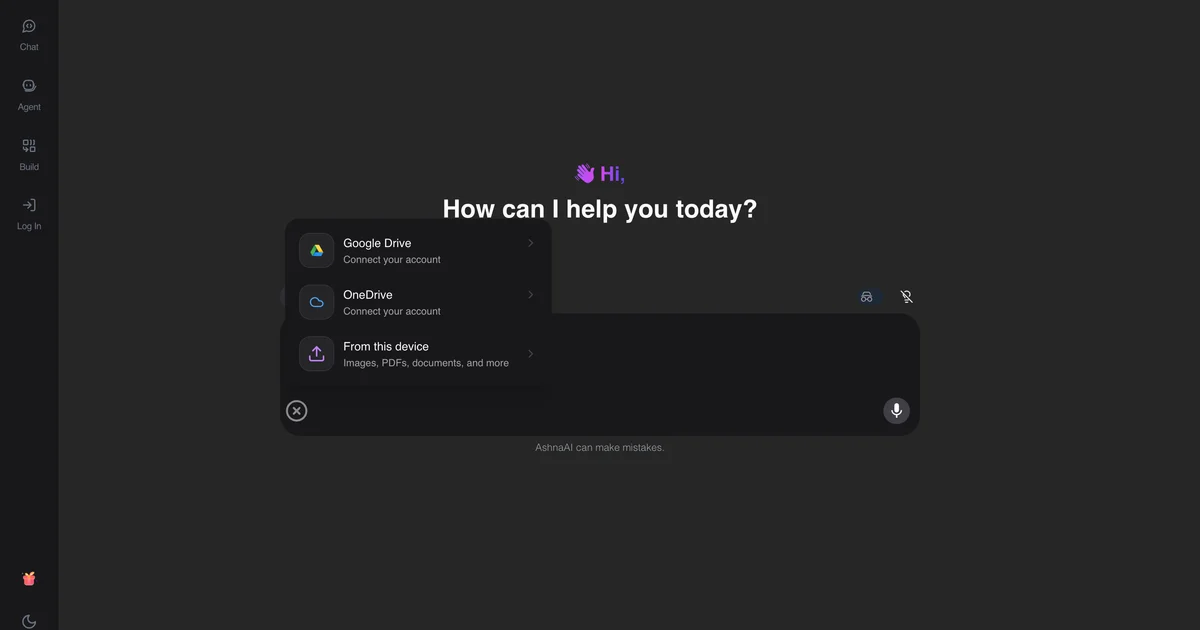
Upload, then ask
The file is linked to the chat before embedding finishes. If you ask during upload, you may get an ungrounded answer. Wait for the file to show as attached.
Ask locatable questions
“What does section 4 say about notice periods?” beats “summarize everything.” Retrieval works better when the question names a place in the document.
When to use desktop files
If the PDF should not leave the machine, use the desktop local-files how-to. This guide is the cloud chat-file path.
Try it now
Open AshnaAI and run this in a new chat. New accounts start at app.ashna.ai/signup.
Frequently asked questions
- How do I chat with a PDF in AshnaAI?
- Start a chat, upload the PDF, wait until it is attached, then ask a question that the file can answer.
- Does AshnaAI train on my PDF?
- No. It embeds and retrieves. Remove the file from the chat if you do not want it used.
- Why is the answer generic?
- Embedding may still be running, or the question is not in the file. Ask for a quoted passage.
- Can I use several PDFs?
- Yes. Each file key is linked to the chat. Say which document you mean when they overlap.
- Is this the same as Ashna-X1 PDF query?
- No. The X1 catalog row does not enable PDF file query. Use this chat-with-file path for documents.
Tags
Related
Try this in AshnaAI. Create a free account.
Found this article helpful? Share it with your network.