Glossary

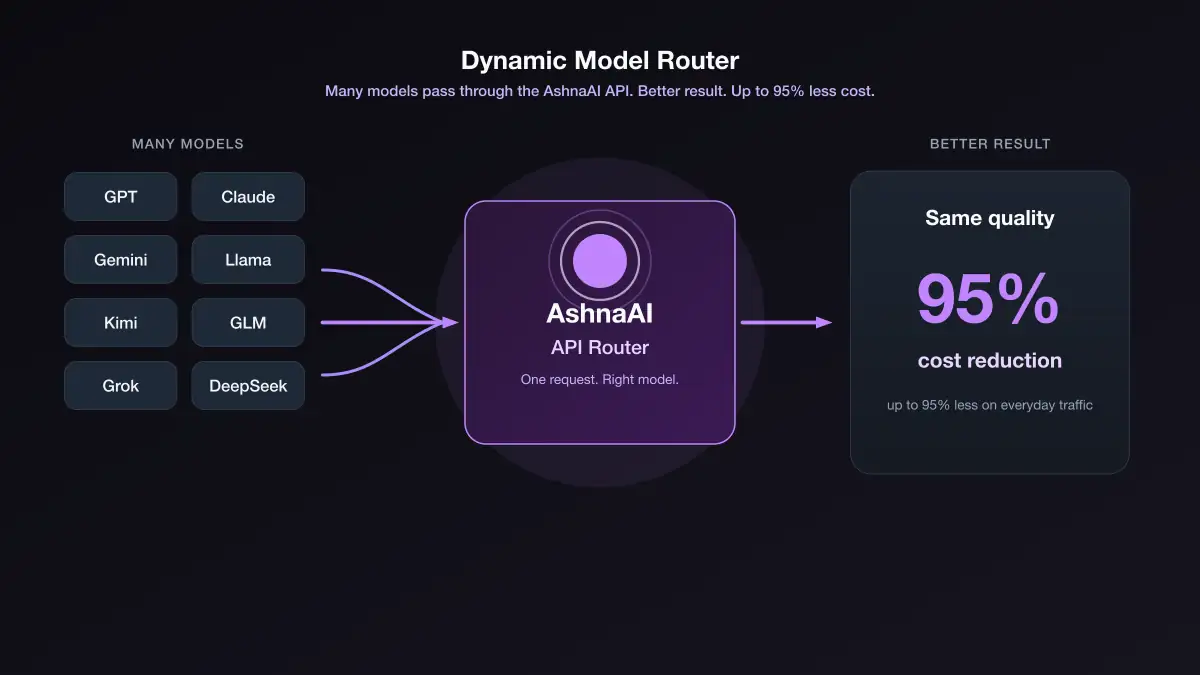
LLM routing: match tasks to models

Routing is matching a task to a catalog row. Ashna-X1 is the default. Pin GPT, Claude, or Gemini when you need that row’s context, reasoning, or file flags. Brand preference is not routing.

AshnaAI

LLM routing: match tasks to models

Key Takeaways

  • Default to X1.
  • Pin a model for a documented capability, not a logo.
  • Documents use the file path, not X1 PDF query.

Write the constraint first

If the constraint is “any good answer,” stay on X1. If it is “400k context” or “thinking must stay on,” open the catalog.

Do not route PDFs to X1

Use chat-with-file. That is a pipeline choice, not a model-brand choice.

Sourcing & Methodology

Practical routing rules from the AshnaAI model catalog.

Topics

#routing#LLM

Found this article insightful?

Share it with fellow builders, founders, and AI practitioners.

Frequently asked questions

Everything You Need to Know

Choosing which catalog model should run a task based on tools, context, and reasoning needs.

Both. Ashna-X1 is a model trained and built by AshnaAI, pretrained and fine-tuned on top of open-weight models. It is also the orchestration layer that can route a task to another catalog model when needed.

When you need that provider’s reasoning or a customer requires Anthropic.

No. Agents still have specs and tools. Routing picks the model those tools run on.

Ashna-X1 and task-aware model routing.

Continue ReadingView all

Related Articles & Guides